Since 2008 to 2014
Shared Highlight Pages: What Happened to the Archive
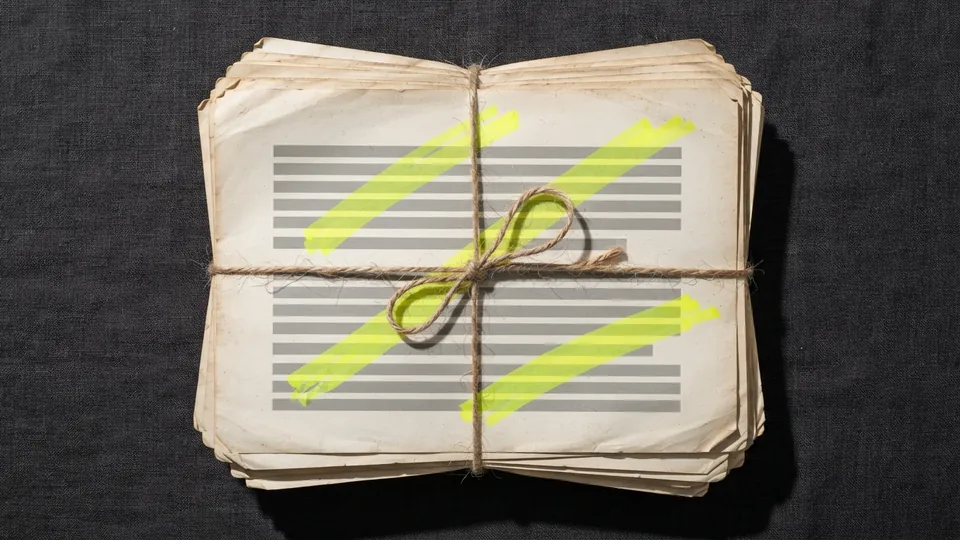
If you followed a link to a page address like /page/display/yqFCFzj5R, you were looking for a highlighted copy of a web page saved by the original Awesome Highlighter between 2008 and about 2014. Those copies no longer exist. This page records what we know about them and shows how to make the same kind of share today, without a server.
In short
Awesome Highlighter shared pages were highlighted copies of web pages saved by the original tool between 2008 and about 2014 at addresses beginning /page/display/. The service stopped around 2015 and the copies are gone; none can be restored. This page records what linking sites said about the most-linked ones and how to make the same share today.
What a shared highlight page was
When you highlighted text with the original tool and pressed Done, it fetched the page you were on, saved a copy on its own servers with your yellow marks baked in, and gave you a short address such as awesomehighlighter.com/page/display/yqFCFzj5R. Anyone opening it saw the saved copy, highlights and all, even if the original page later changed. Some pages also had a view counter at /page/stats/{id} and a cached fallback at /cached_pages/{id}.html. Tens of thousands of these were made; about sixty of them earned links from other sites that still exist, which is why you may have arrived here.
What happened to them
The service stopped around 2015. Every deep address began returning errors (403 and 404) by 2016, the domain lapsed, and for several years it was used by squatters to publish unrelated pages. Nothing from the old database was transferred to the current owners; we have no copies of any saved page, and we cannot recover one. This is the ordinary fate of highlights that live on someone else's server, and it is the main reason the relaunched site stores nothing: today's highlight links carry the highlight inside the address, so they depend only on the page they point to.
The most-linked shared pages, and what the linking pages say about them
We do not have the pages, but we do have the anchor text and context of the sites that linked to them, which tells us roughly what each one highlighted. Rows are identified by the old page id; if your link included an id, your browser has scrolled to its row.
| Page id | Referring domains | What we know |
|---|---|---|
| yqFCFzj5R | 18 | The most-linked shared page. Its linkers are spread across many small sites; none of the sampled links describes the content. |
| lQwPubile | 4 | Saved to the social bookmarking site folkd under the tag "highlighted"; a personal bookmark, subject unknown. |
| SnPdFJkhj | 3 | "Build a mobile website": a highlighted career-advice article cited in a 2012 post titled Occupy Your Career and by a college blog. |
| IbZNvQuMR | 2 | Quoted by the BBC Magazine Monitor's Quote of the Day (June 2009) as "More details (Daily Mail)": a highlighted Daily Mail news story. |
| 0uMNLcCl2 | 1 | Cited by New York Magazine's Intelligencer (January 2010) with the anchor "floated it": a highlighted political news item. The link was still live in 2025. |
| jEWwNdw3R | 1 | "Highlights from: The US Open 2008": passages from the tennis tournament's official site, saved by a Japanese sports blogger. |
| P3kvEW1Dx | 2 | A German vocabulary list ("Lernwortschatz") for a Deutsche Welle news text, used by a language teacher's blog. |
| VCDPykR4M | 1 | Celebrity news highlights cited by three posts on one entertainment blog in late 2010. |
| LtQvb5CgZ | 1 | "Highlights from: Binary Options": a highlighted trading promotion, bookmarked on folkd. |
| HCuVi727t | 1 | Show notes "Highlights" for episode 177 of the Tech News Today podcast, linked from the network's wiki. |
| OlTCgcnMR | 1 | Used as an example of "your own URL" in a Russian teachers' community post about web tools. |
| RyGgKYiKs | 1 | One of five classroom task pages made by a Spanish-speaking teacher in 2009 (see also LK84NPveq, y713e4aPn, JDCj4bjH4, ZX5btksNr). |
| LK84NPveq | 1 | Classroom task: "icons and shortcuts" ("iconos y accesos directos"), 2009. |
| y713e4aPn | 1 | Classroom task linked with the anchor "click here" from two teachers' blogs, 2009. |
| JDCj4bjH4 | 1 | Classroom task, 2009, from the same teachers. |
| ZX5btksNr | 1 | Classroom reading ("read here"), September 2009. |
| 2S58CIJb3 | 1 | Not a page but a stats counter (/page/stats/), cited on reddit in 2012 as proof a shared highlight had "over 2000 hits". |
If you made one of these pages, or know what one contained, we would like to add the detail; see the contact page. We will not attempt to reconstruct the highlighted pages themselves: they were copies of other people's work and the originals may still be online.
How to recreate a shared highlight today
Find the original page
If you know the source (a news story, a tournament site), search for it. Many 2008 to 2012 pages are still online, and many more are in the Internet Archive's Wayback Machine.
Select the passage
Open the page (or its archived copy) and select the sentence you want to point at.
Make a highlight link
Use the generator or the bookmarklet. The result opens the page scrolled to the passage with it highlighted, in every current browser.
Quote the passage too
Paste the words into your message alongside the link. If the page changes or disappears, the quote survives; that is the lesson of the archive.
Awesome Highlighter shared pages and highlight links, side by side
| Shared page (2008 to 2014) | Highlight link (today) | |
|---|---|---|
| Where the highlight lived | In a saved copy of the page on the service's servers | Inside the link's address, after #:~:text= |
| What the reader saw | The saved copy, marks baked in, even after the original changed | The live page, scrolled to the words, highlighted by the browser |
| If the original page changed | The copy still showed the old text | The link opens the page at the top with no highlight |
| If the service closed | Every link died, as this archive shows | Nothing to close; the link depends only on the page |
| Account needed | Optional, for lists and view counts | None |
| What was stored about you | Copies of everything you highlighted, including pages behind logins | Nothing |
| Who could see the highlight | Anyone who opened the public address | Whoever has the link; the website itself never receives the fragment |
One row cuts both ways. The saved copy survived edits to the original, which a link cannot, and that is exactly why the recreation steps above end with quoting the passage. A worked example from the table of known pages: the page listed as jEWwNdw3R held passages from the official site of the 2008 US Open. To make the same share today, you would look for that site's 2008 pages in the Wayback Machine, open the archived page, select the sentence, and make a highlight link to the archived address; a text fragment works on an archived copy because it is an ordinary HTML page. Then paste the sentence into your message beside the link.
If the passage ends up in written work, citing a passage so a reader can check it against the source gives the format, and keeping your own copy of every highlight you make is the habit that would have preserved the pages listed here.
Why the relaunched site does not save pages
Three reasons. Privacy: the old tool kept copies of everything users highlighted, including pages behind logins they happened to be viewing. Durability: a highlight stored on a service dies with the service, as this archive shows. Standards: since 2020 browsers can highlight a passage from the link itself, which is a better design than any server could offer. The trade-off is that a link cannot show a highlight on a page that has since been rewritten. Quote the text, keep your own notes, and treat highlights as pointers rather than storage. Our guide to annotation and read-later apps covers the tools that do store highlights, with their own trade-offs.
The old shared pages are gone, but the job they did is now built into every browser; text fragment links, explained covers how. Teachers who used shared highlights in class will find replacements in highlighting activities that need no accounts. The rest of the relaunched site starts at the homepage. How this connects to the record section: the lost archive is a lesson in provenance. A highlight that lives only on someone else's server is evidence only as long as the server does. A version history you can open, name and share as an authorship record and website citations built so a reader can verify the source, archive copy included both keep the record where you can reach it.
Common questions
Can you restore my old shared highlight page?
No. The original service's data was not transferred and no copies exist. We can only document what the linking pages said about it.
Where did the old /page/display/ links go?
They now bring you to this page, at the row for that page id where one exists. This is the closest honest match to what the link once showed.
Is there a copy in the Internet Archive?
Sometimes. Search the Wayback Machine for the full old address (with www). Coverage of these pages is patchy but not zero.
How do I share a highlighted page now?
Select the text and use the highlight link generator or the bookmarklet. The link opens the live page with the passage highlighted; nothing is stored.
Why does my old link scroll to a row on this page?
The page id from your link is used to jump to its row in the table, so you can see what we know about that page.
Will the relaunched site ever store highlights again?
There are no plans to. Storing copies of other people's pages was the old model's weakness. The tools here keep nothing.
Sources
- Internet Archive Wayback Machine: awesomehighlighter.com as captured on 1 January 2010
- Internet Archive Help Center: Using the Wayback Machine
- Backlink index data for awesomehighlighter.com (pages, anchors, first-seen dates), pulled September 2026